Run workflows at scale, with full traceability.
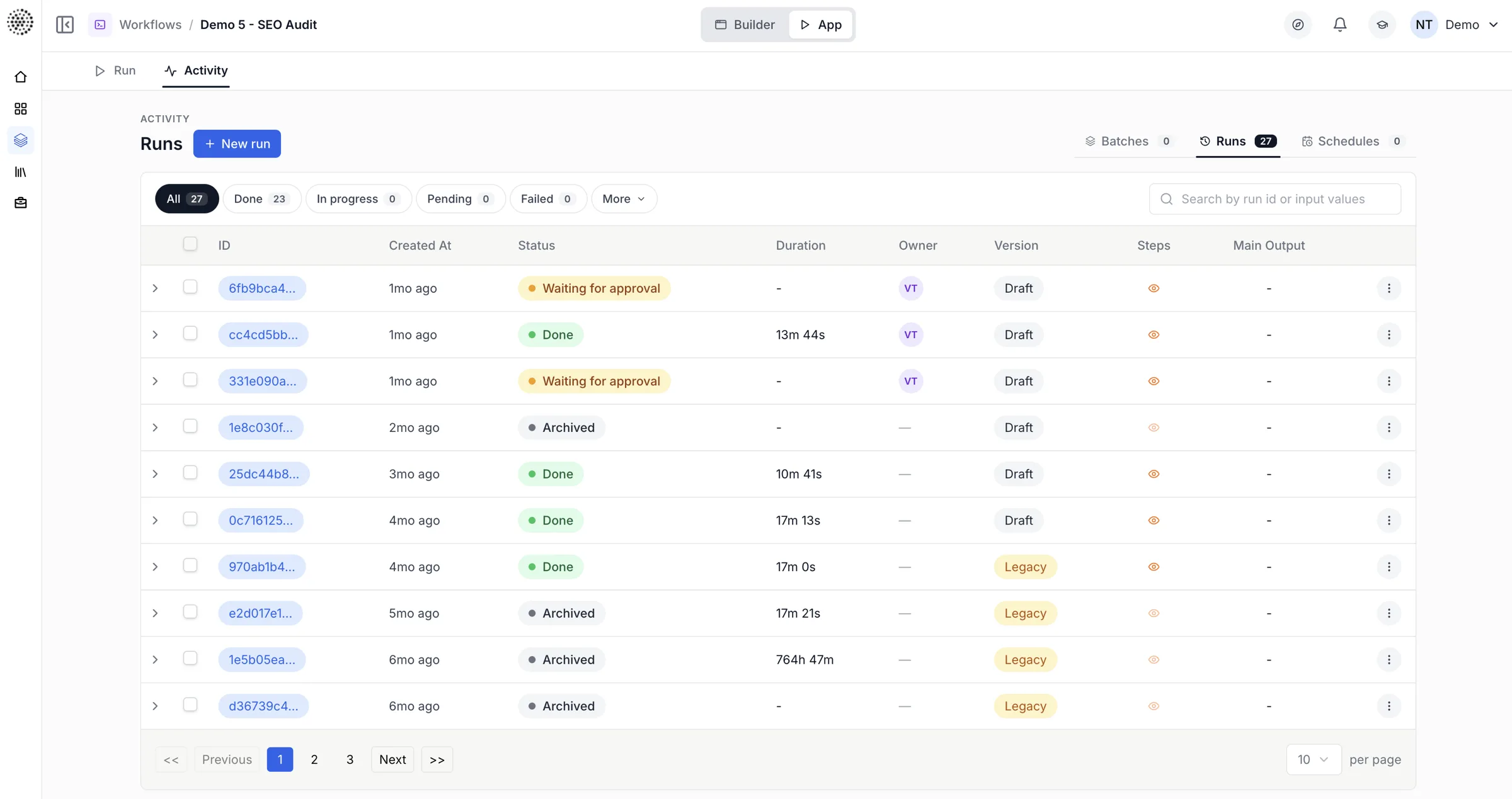
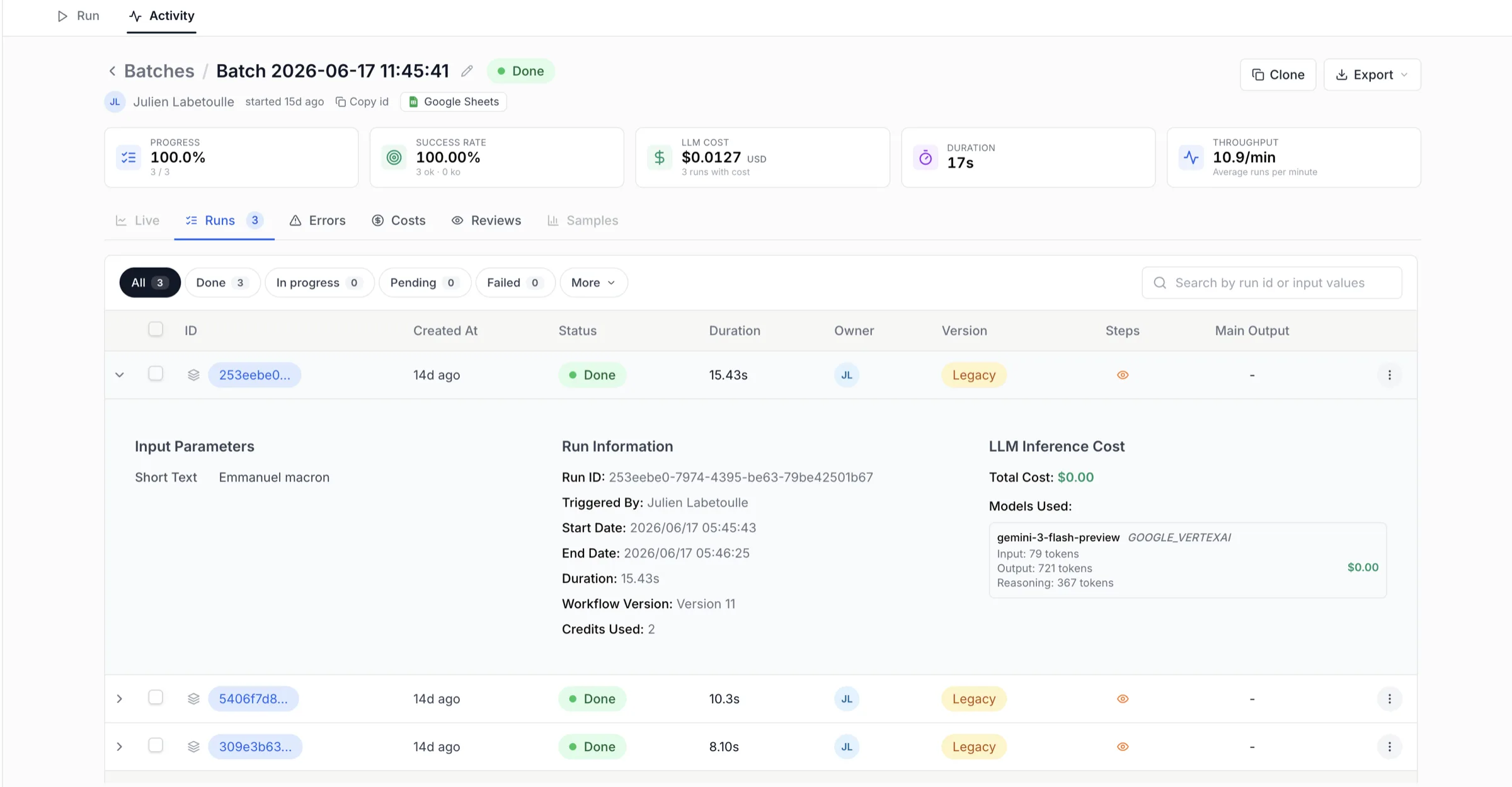
Fire workflows asynchronously over the API, batch them across a CSV or Google Sheet on a schedule, and watch every step — completed or failed — in one auditable run view.
What it does.
Asynchronous runs
POST to run a workflow in the background; get a run ID back immediately.
Per-step monitoring
Track completed_steps and failed_steps with start and end timestamps.
Batch & scheduled
Drive a workflow across every row of a CSV or Google Sheet, on a schedule.
Resumable & parallel
Run thousands of instances in parallel; pick up where a step left off.
Retries & quotas
Respect rate limits with batching and delays; retry transient failures.
Fully observable
Every run is logged, traceable, and auditable down to the node.
Fire a workflow, get a run ID, move on.
POST to /api/v1/workflows/{workflow_id}/run with your inputs and the workflow executes in the background. The response is immediate — you receive a run ID to poll instead of holding a connection open. It's the same call whether you trigger on a schedule or when an event occurs.
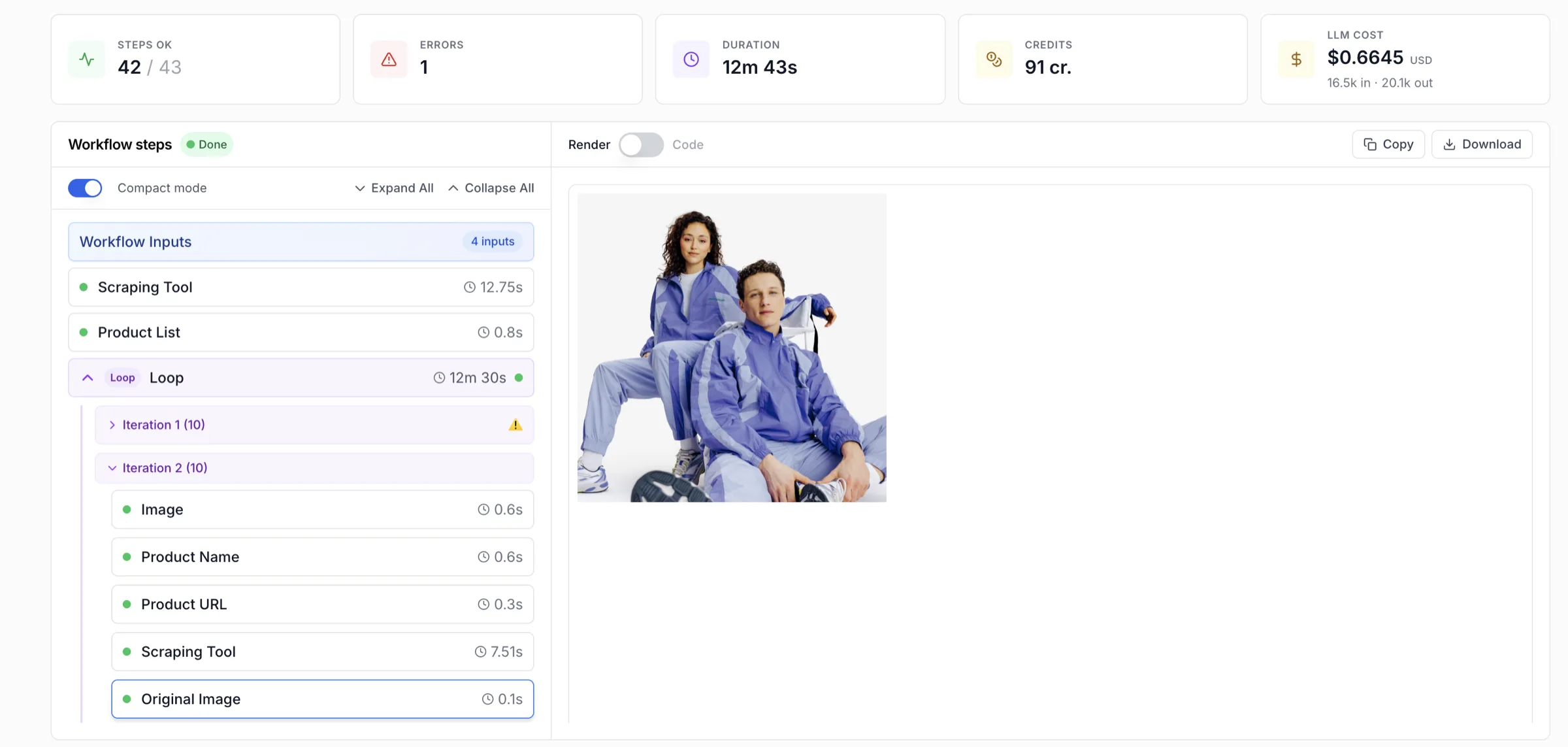
Every step, completed or failed, in one view.
GET /api/v1/workflow-runs/{run_id} returns the run state, started_at and ended_at, and two arrays: completed_steps and failed_steps. Each completed step carries its node ID, output, and downloadable flag; each failed step carries its error and the node that produced it.
Three states, no ambiguity.
A run resolves to exactly one terminal state, so automation downstream always knows what happened.
From a single trigger to thousands of rows.
Batch over a sheet
Loop a workflow across every row of a CSV or Google Sheet and collect the results.
Scheduled processing
Schedule → fetch batch → process → output, running heavy jobs off-peak.
Resilient enrichment
Process in batches with delays to respect rate limits; retry transient failures.
Audit & report
Pull every run's per-step record for traceable, reportable outcomes.
A nightly batch enrichment, end to end.
Each row triggers an async run; the loop polls for DONE before writing back, retrying transient failures and respecting rate limits with batched delays.
From input to outcome.
Configure
Build the workflow visually in Studio and wire its input nodes — no code required.
Trigger
Fire it via POST with inputs, on a schedule or per row of a batch source.
Monitor
Poll the run to watch completed_steps and failed_steps until it reaches DONE.
Review
Approve where it matters and pull the full per-step log for audit and reporting.
Show us the workflow.
We'll show you the 10x.
Bring the marketing workflow that eats your week. We'll build it live, with your data and your models, in 30 minutes.