Studio
The visual canvas where marketing teams build agentic workflows. Drag nodes onto the canvas, connect outputs to inputs, and pass data between steps with variables — no code required.
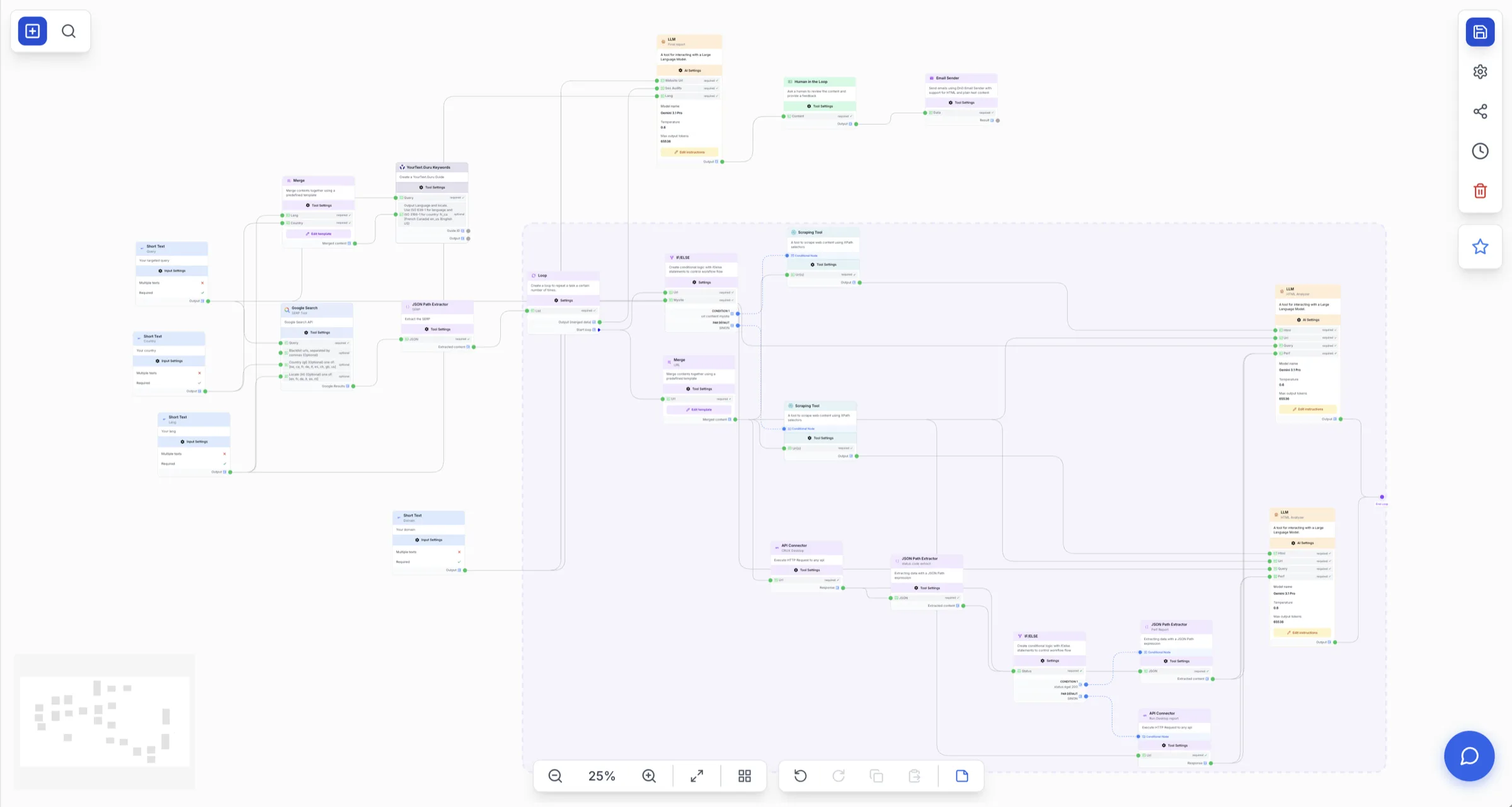
Everything you need on one canvas.
Drag-and-drop canvas
Drag nodes from the library onto the canvas and draw connections from one node's output to the next node's input. Pan, zoom, multi-select, and duplicate — your whole workflow laid out visually.
A node for every step
Input, AI, Integration, Tool, and Control-flow nodes — from short-text and file inputs to LLMs, web scrapers, conditional IF/ELSE branches, and merge-to-report.
AI agents & LLMs, built in
Drop in an AI Agent that plans, calls tools, and adapts — or an LLM node with structured JSON output. Choose GPT, Claude, or Gemini per node, and attach RAG datasources and MCP servers.
Native SEO & research tools
First-class nodes for Semrush, DataForSEO, YourText.Guru, Haloscan, Google SERP, Search Console, and BigQuery — plus a Web Scraper and API Connector to reach anything else.
Shape data without code
Transform between steps with the JSON Path Extractor, HTML-to-Markdown, Tag Extractor, Merge, and Find & Replace — and an AI Code node for the moments where no-code shouldn't go.
Variables connect everything
Pass any node's output into the next with {{variables}}. Reference an upstream result anywhere in a prompt or parameter to wire data cleanly through the workflow.
Your whole workflow, laid out visually.
The canvas is the main workspace. Drag nodes from the library, draw connections from a node's output to the next node's input, then pan, zoom, multi-select, duplicate, and delete to shape the flow — selecting any node to configure it in place.
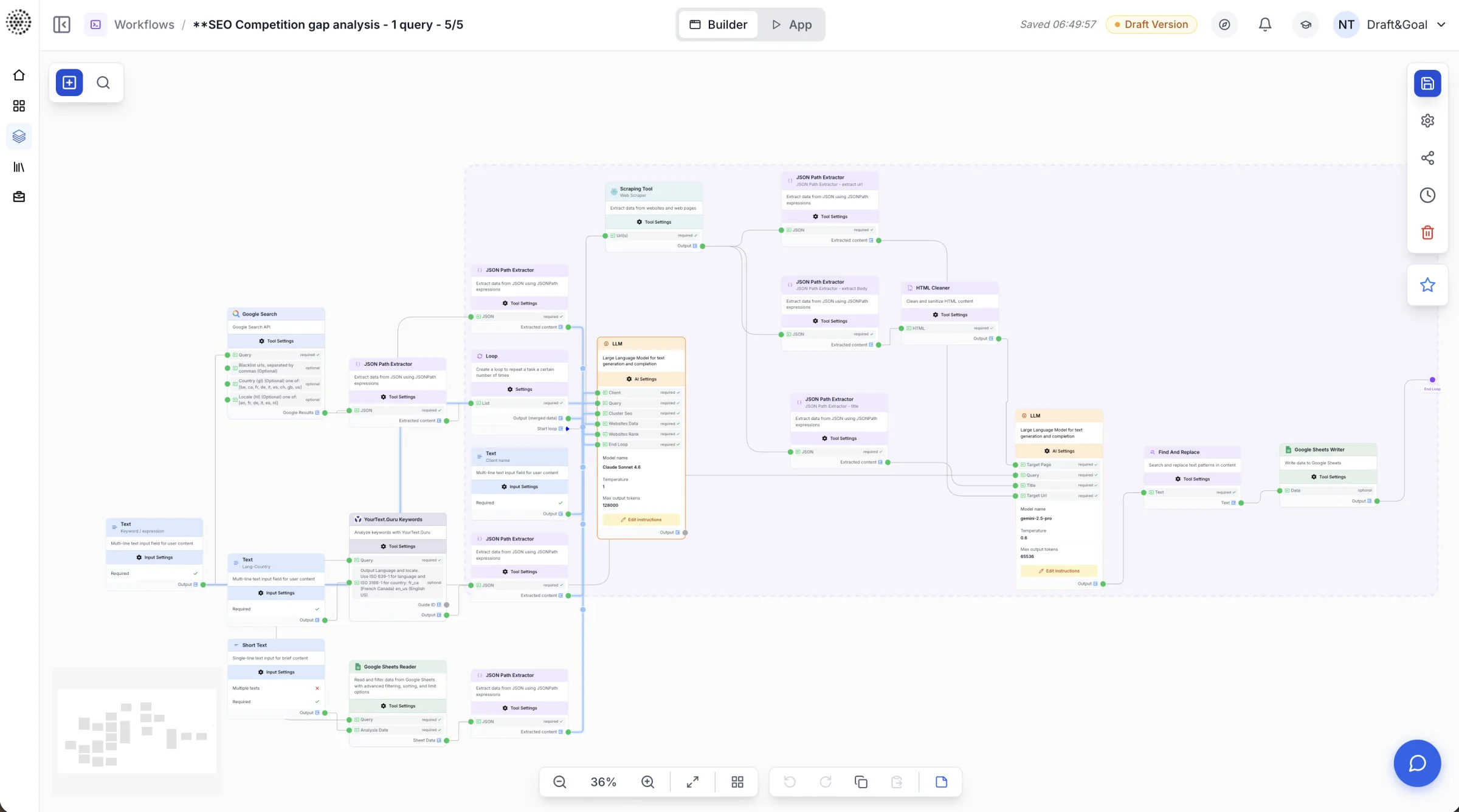
Four categories. A node for every step.
Capture what a run needs and hand back a finished asset.
Reasoning, generation, and analysis — pick a model per node.
Pull live data in and push results out.
Reshape data between steps — no code required.
A reasoning runtime, not just a prompt box.
Add an AI Agent that plans, calls tools, retrieves context, and adapts across multiple steps. Pick a reasoning-capable model — GPT-4, Claude Sonnet/Opus, or Gemini Pro — then attach Tools, RAG datasources, and MCP servers, and tune temperature, top-K, top-P, and max tokens.
Model per node
Choose the right model for each task — no platform lock-in.
Tools & MCP
Let the agent drive web search, scrapers, and your own MCP servers.
RAG datasources
Ground answers in private knowledge bases you attach.
Structured output
The LLM node returns JSON to a schema for clean downstream use.
The marketing stack, as first-class nodes.
No HTTP plumbing for the tools marketers live in — they're nodes you drag onto the canvas. And for anything without a native node, the Web Scraper and API Connector reach the rest.
Wire data through with {{variables}}.
Every node's output is reusable. Reference an upstream result anywhere in a prompt or parameter with a variable, and Studio threads the data through the workflow — no glue code, no copy-paste.
An SEO content workflow, end to end.
Each step passes its output to the next as a variable. The Human-in-the-Loop node pauses for an editor to approve before anything is written back.
From blank canvas to production.
Build
Start a new workflow, drag in an input or data-source node, then add AI, tool, and integration nodes — connecting outputs to inputs as you go.
Test
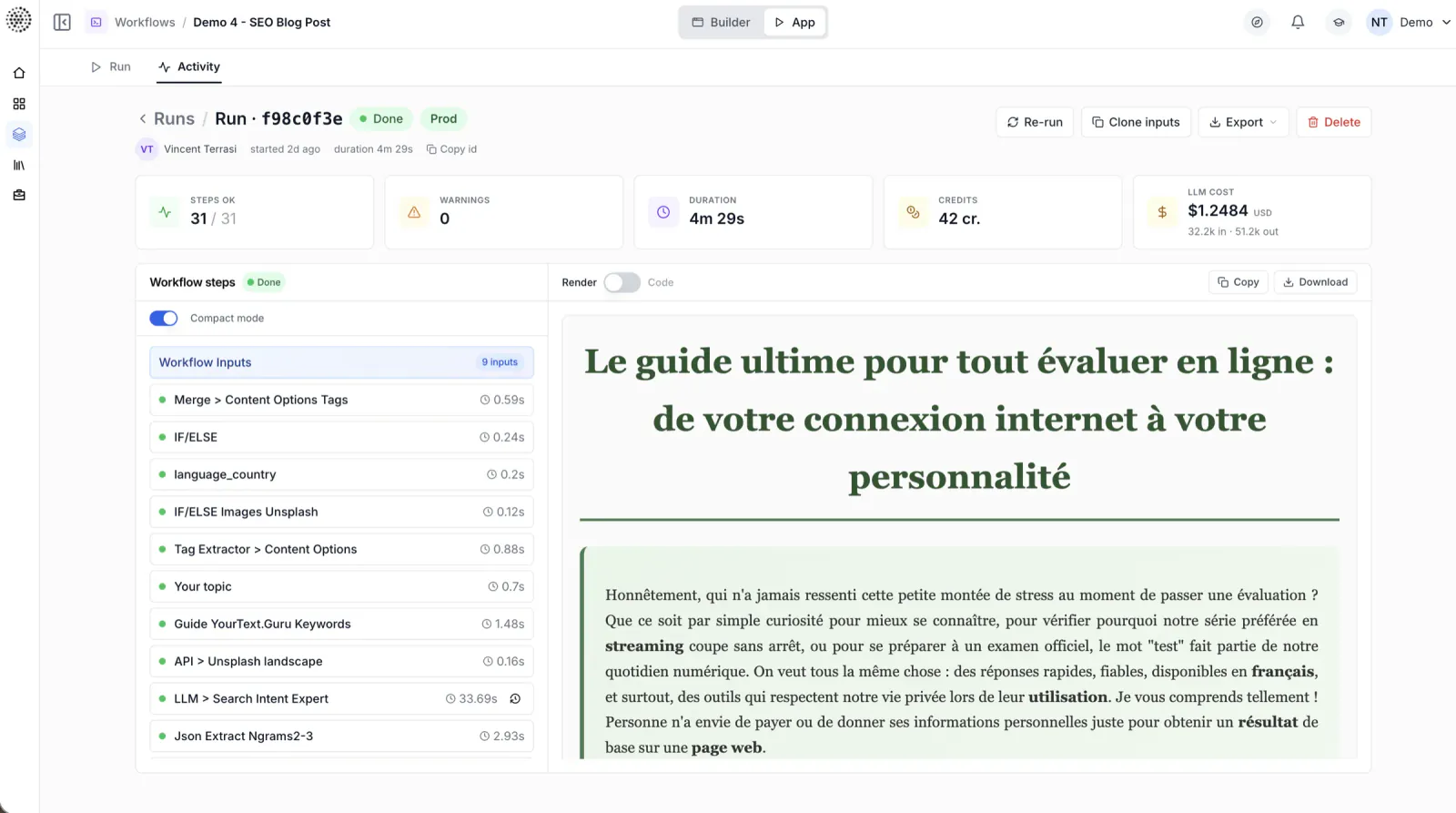
Run the workflow right in Studio and inspect every step's output on the canvas before you ship it.
Run at scale
Trigger runs from the API or on a schedule, and batch over a CSV or Google Sheet. Runs execute asynchronously, with per-step status you can monitor.
Review & resume
Add a Human-in-the-Loop node to pause for approval. A reviewer validates the content, and the workflow resumes from exactly where it left off.
Show us the workflow.
We'll show you the 10x.
Bring the marketing workflow that eats your week. We'll build it live, with your data and your models, in 30 minutes.